Getting Started with the Bol Kinnauri Portal
Translating regional languages online has never been more accessible. The Bol Kinnauri platform is designed with a clean, user-friendly interface that allows anyone — regardless of their technical skill level — to translate words, learn pronunciations, and explore the vast vocabulary of the Kinnauri language. Whether you are a student conducting research, a tourist preparing for a visit to Kinnaur, a native speaker reconnecting with your roots, or simply a language enthusiast exploring something new, this comprehensive guide will show you how to make the most of everything the platform has to offer.
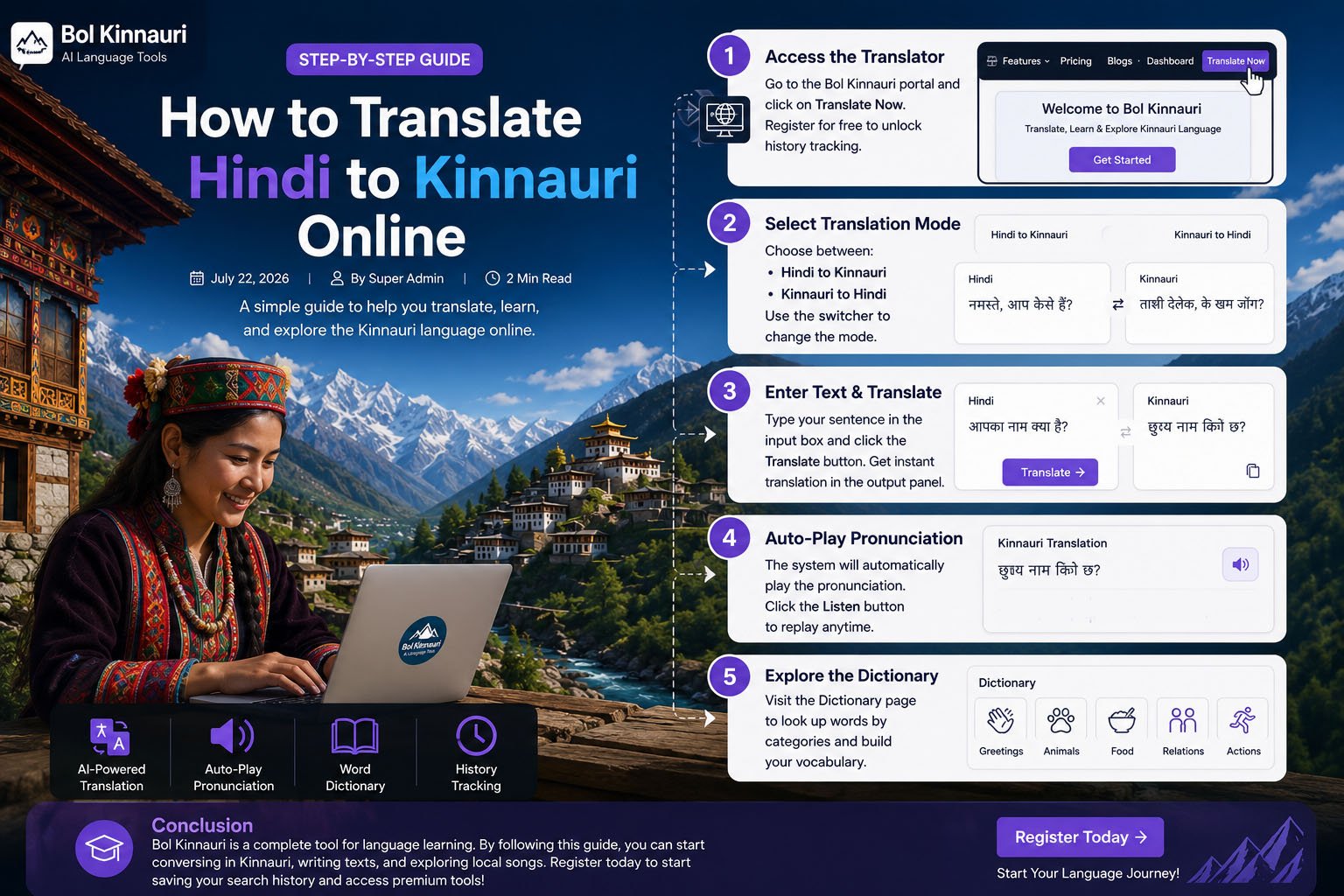
Step 1: Create Your Free Account
While the basic translator is accessible to all visitors, creating a free account on Bol Kinnauri unlocks the full suite of features. Navigate to the registration page, fill in your name, email address, and a secure password. Once registered, you gain access to your personal dashboard where you can view your complete translation history, manage your profile, and access premium tools. Registration takes less than a minute and requires no credit card.
Step 2: Access the Translation Tool
After logging in, click on the Translator link from the navigation menu. The translation workspace features a clean two-panel layout: the input panel on the left where you type your Hindi text, and the output panel on the right where the Kinnauri translation appears. The interface also displays a word counter, so you always know how much of your character limit you have used.
Step 3: Choose Your Translation Direction
The Bol Kinnauri engine supports two primary translation directions:
- Hindi to Kinnauri: Type standard Devanagari Hindi text to receive an accurate Kinnauri translation.
- Kinnauri to Hindi: Input Kinnauri words or phrases to understand their equivalent meaning in Hindi.
Use the direction switcher button (represented by two arrows) located between the two panels to toggle between modes. The interface updates automatically when you switch directions.
Step 4: Enter Your Text and Run the Translation
Type your sentence or word into the input box. For the best translation results, write clear, grammatically correct sentences using standard Hindi spelling. Once you have entered your text, either press Ctrl + Enter (keyboard shortcut) or click the blue Translate button. The system processes your input through its dictionary database first, and then through the AI engine for any unmatched words. The translated result appears in the output panel within milliseconds.
Step 5: Listen to the Pronunciation
Learning to speak Kinnauri correctly requires hearing it spoken by a native voice. Once the translation is complete, click the speaker icon in the output panel to play the audio pronunciation. The integrated Text-to-Speech system converts the Kinnauri text into natural-sounding speech. You can replay the audio as many times as needed to practice your pronunciation. This is one of the most valuable features for absolute beginners.
Step 6: Copy, Download, or Save Your Translation
Once you are satisfied with a translation, you have several options for saving or sharing it. Use the Copy button to instantly copy the translated text to your clipboard. Registered users can also download their translation as a plain text file (.TXT) or formatted PDF document. Your translation is automatically saved to your history, which you can access anytime from the dashboard.
Step 7: Explore the Kinnauri Dictionary
If you want to study individual words rather than full sentences, visit the Dictionary section. The dictionary organizes Kinnauri words into clearly labeled categories including Greetings, Family Relationships, Animals, Food and Drink, Colors, Numbers, and Common Actions. Each entry displays the Kinnauri word, its Hindi meaning, and phonetic pronunciation. Browsing the dictionary is one of the best ways to build vocabulary systematically.
Step 8: Try the AI Lyrics Generator
Once you are comfortable with basic translation, explore the Lyrics AI feature. This creative tool lets you generate original song lyrics in the Kinnauri language based on a theme or concept of your choice. Select a style (love song, folk ballad, festival song), input your keywords, and let the AI compose beautiful, culturally authentic Kinnauri verses for you.
Conclusion
Bol Kinnauri is a complete, all-in-one platform for learning, translating, and engaging with the Kinnauri language. By following this step-by-step guide, you can begin your journey into one of the Himalayas' most fascinating languages. Create your free account today, start saving your translation history, and explore the rich linguistic world of Kinnaur — all from the comfort of your browser.
Comments (0)
Login Required to Comment
Please sign in to share your thoughts on this article.
Sign In to Comment